
Sunote: AI Voice Note Taker app icon

Sunote: AI Voice Note Taker

Productivity / Education

Sunote is a local-first AI voice note taker for iPhone. Record or import meetings, lectures, and voice memos, search transcripts, then ask its AI agent about notes and tasks or create summaries, action items, and study tools.

5.0(111 ratings)FreeUpdated Oct 12, 2026App Store
App
By UFUK OZEN
Version 1.2 / iOS 26.0+

US App Store listing checked 27 October 2026.

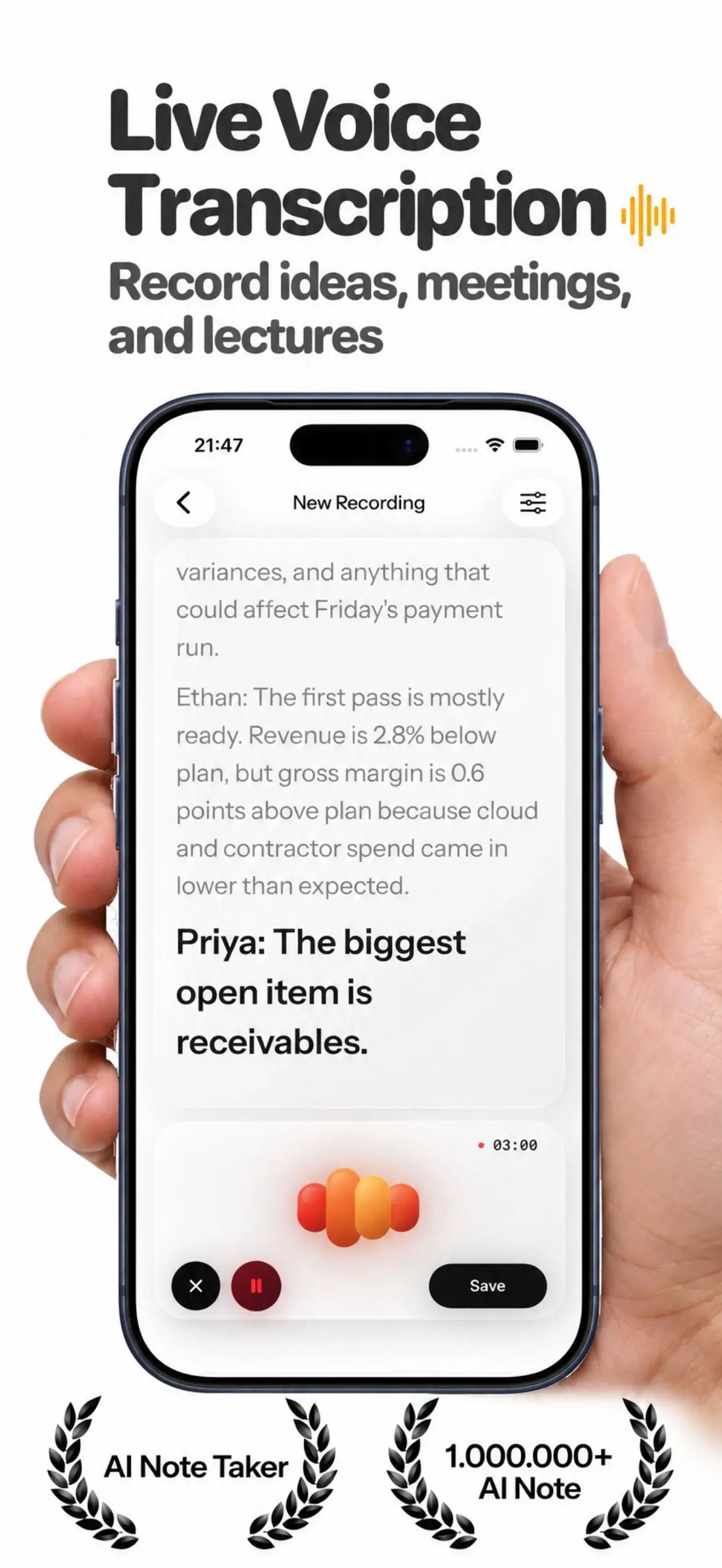
Sunote live voice transcription screen on iPhone
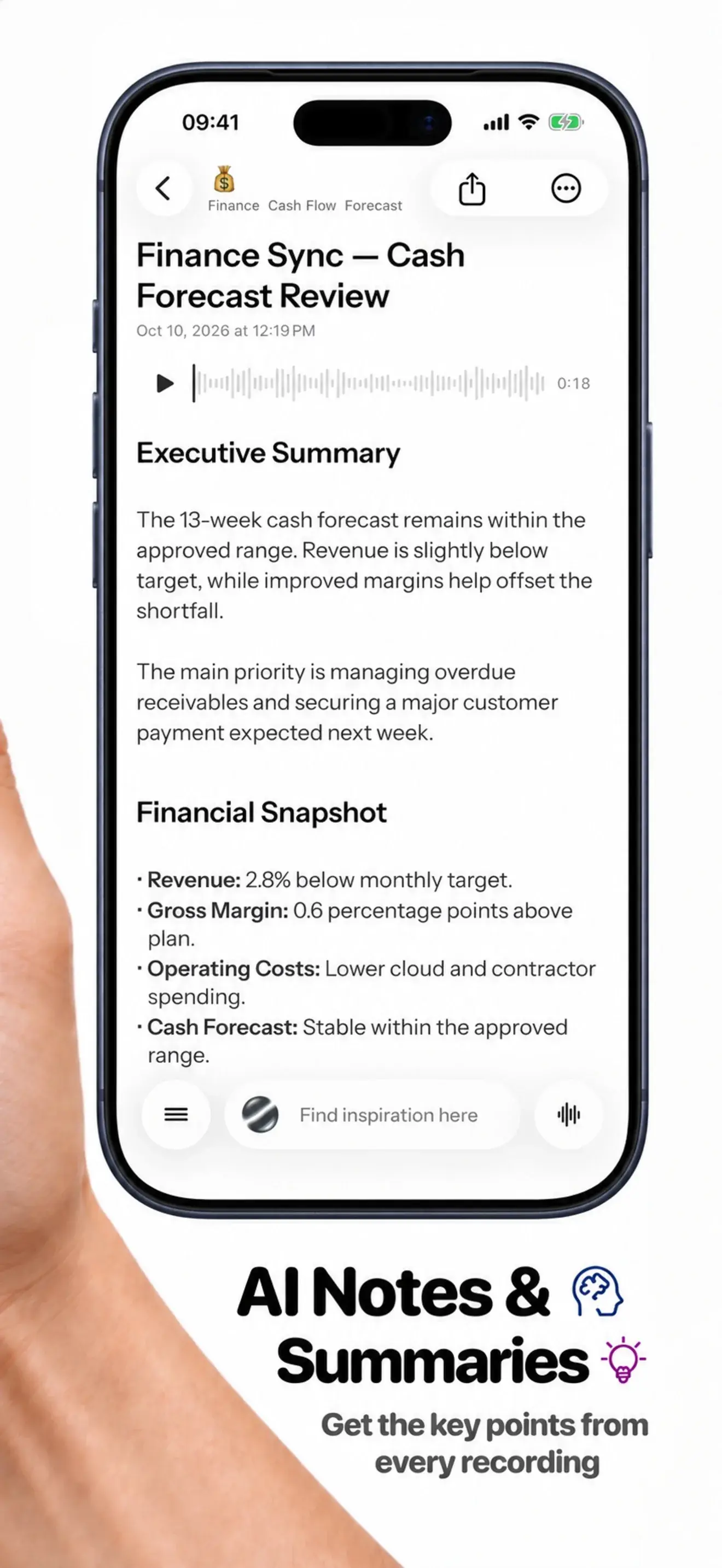
Sunote AI note-taking and summary screen on iPhone
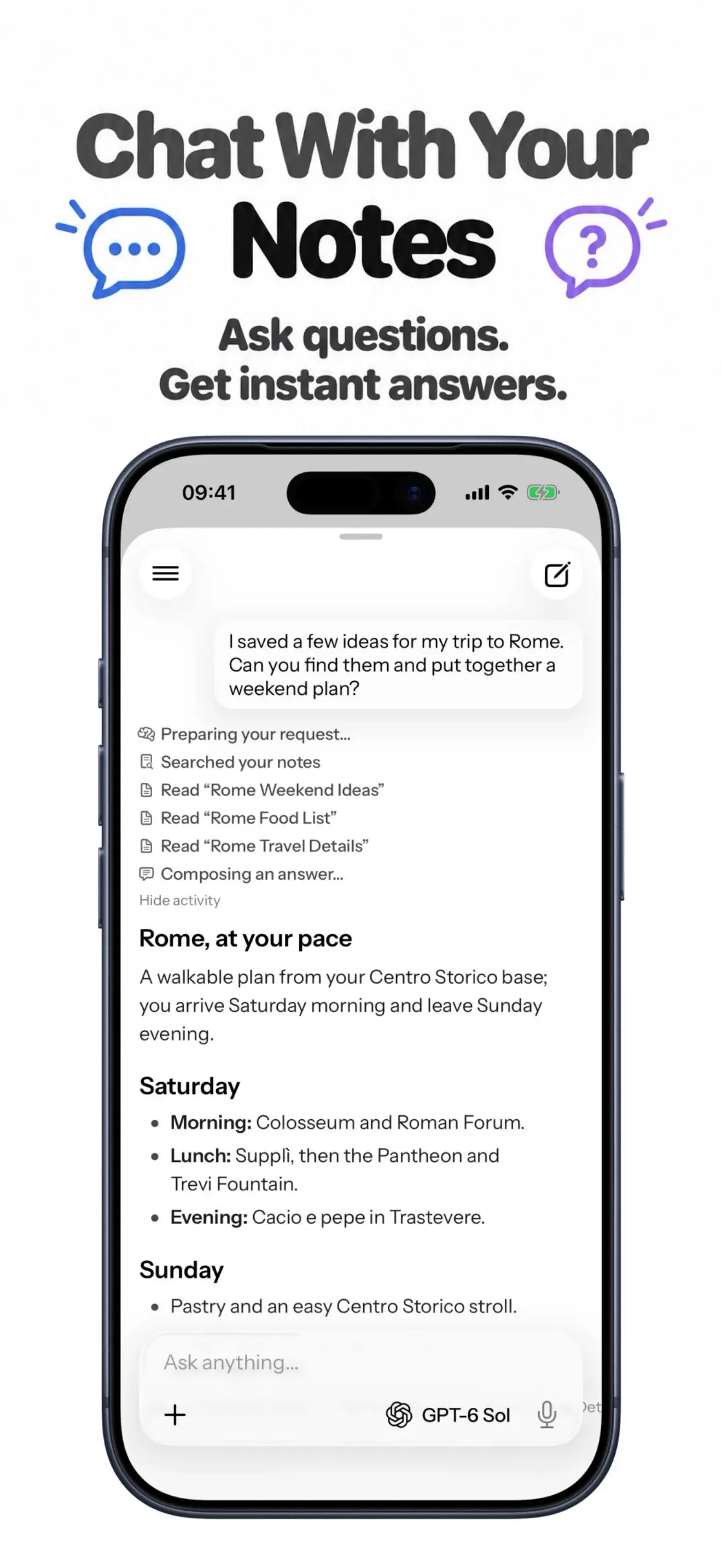
Sunote chat with AI notes screen on iPhone
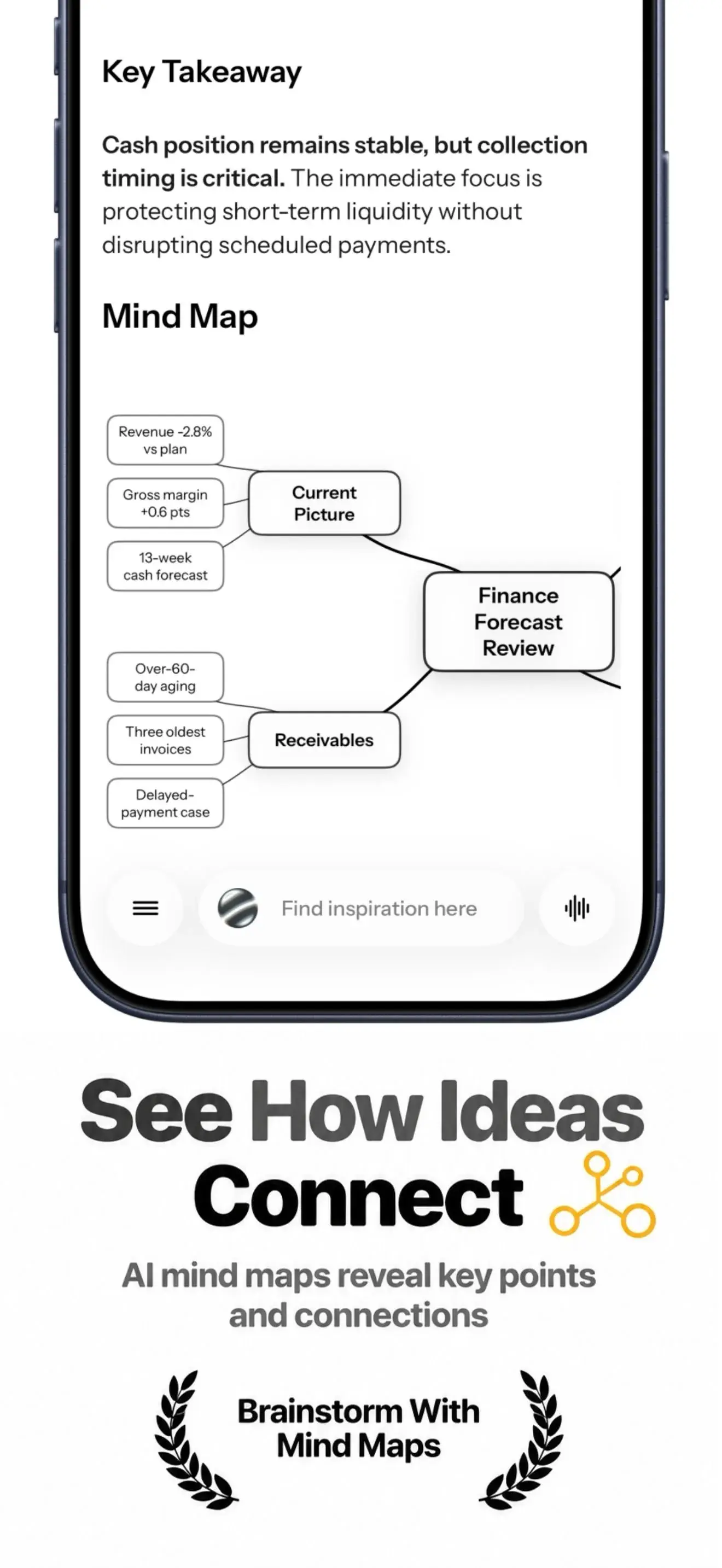
Sunote AI mind map generated from notes on iPhone
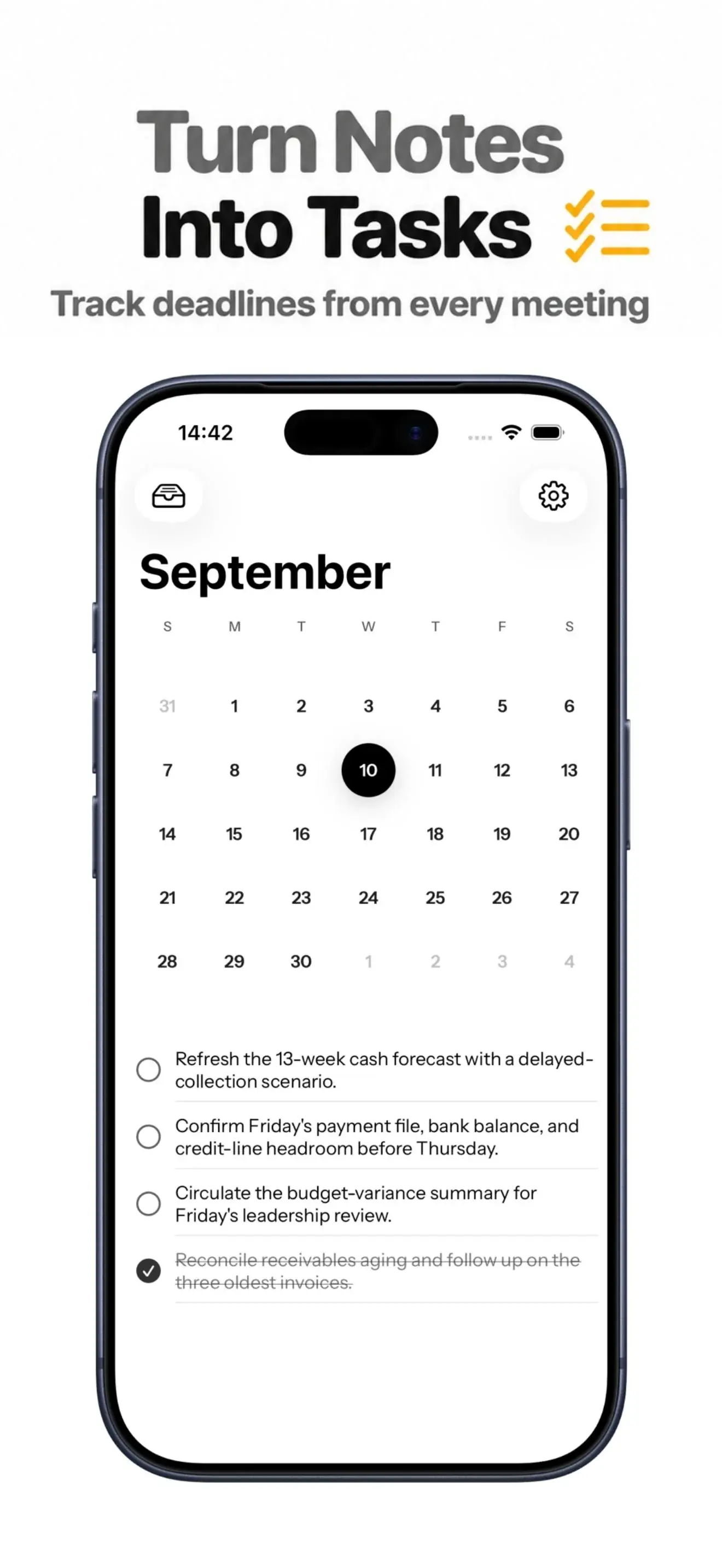
Sunote task management screen on iPhone
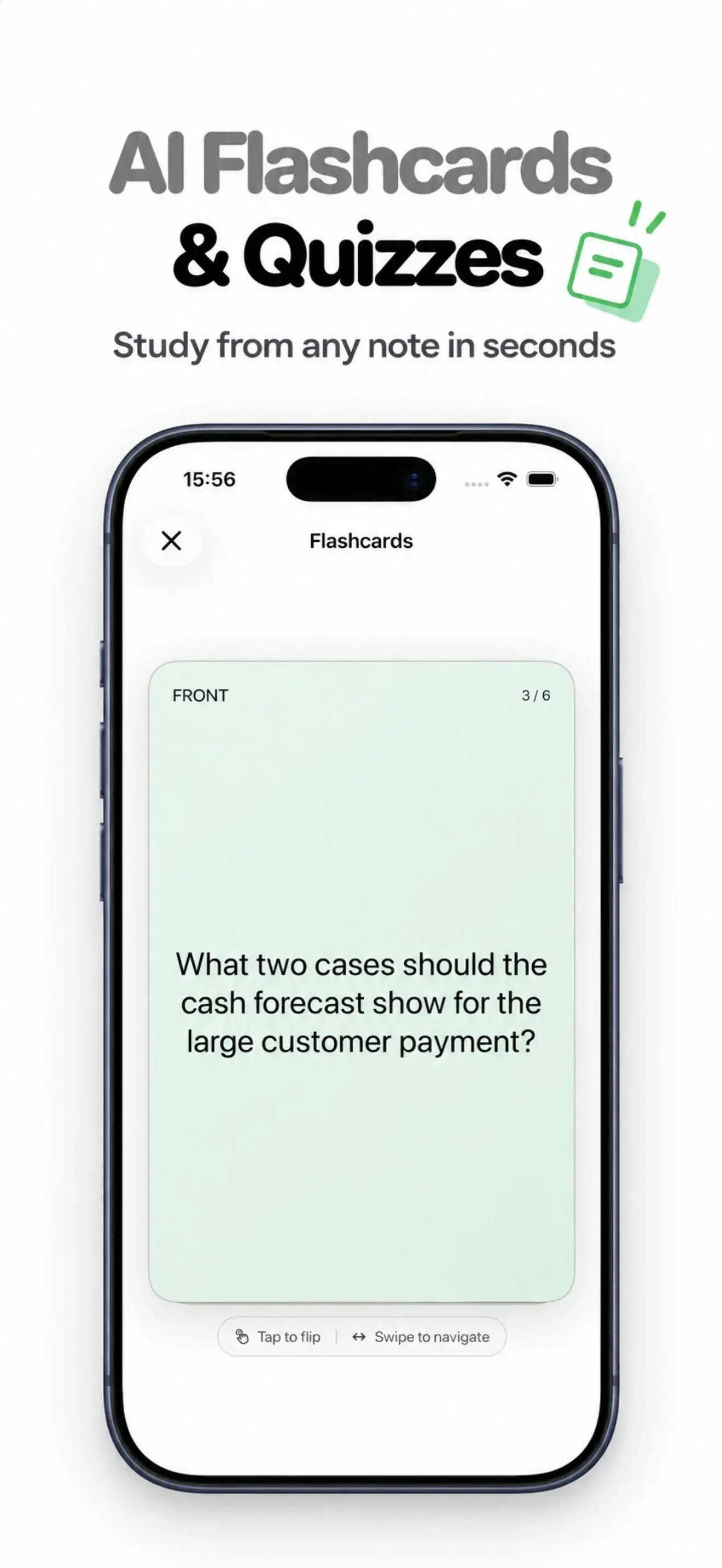
Sunote flashcards and quizzes generated from notes on iPhone
Sunote multilingual AI note and transcription support screen on iPhone
Product
Sunote
AI voice note taker
Platforms
iPhone + Apple Watch
Native Swift apps
Status
Live on the App Store
Independent product
Access
Free download
One full-featured note included

Why Sunote

Turn recordings into searchable notes you can act on.

Record a meeting, lecture, interview, or voice memo on iPhone—or import supported audio. Sunote keeps the transcript with the note so you can find it later. Ask Sunote Agent about a note or task, create summaries and action items, or turn study notes into flashcards, quizzes, and mind maps. Your library is stored on-device by default; remote AI runs only after permission, and Sunote does not provide its own cloud sync.

Start free: one full-featured note, including AI tools.

Check current pricing: Sunote is free to download; the App Store lists current subscription options and terms before purchase.

Check the official listing for current compatibility, features, subscription terms, and localized pricing.

The short version

One captured moment, several useful forms

A recording is rarely the final artifact someone needs. They need the decision from a meeting, the explanation from a lecture, the commitment hidden in a conversation, or a way to search the idea later. Sunote is designed around that second step: make the source trustworthy, shape it into a note, then offer AI when it adds a concrete output.

I built the product across the native iPhone and Apple Watch app, its local data model, subscription flow, and the backend used for optional AI processing. This case study focuses on the product and engineering choices that shaped the release, including the parts that are deliberately constrained.

Product loop

Capture, understand, return

  1. 01

    Capture

    Record live audio, import an M4A or MP3 file, save a web page, add a photo, or start with written text.

  2. 02

    Understand

    Turn speech into a transcript, then use optional AI tools to produce summaries, key points, action items, and study material.

  3. 03

    Return

    Keep the result in a searchable library with folders, tags, Markdown notes, widgets, and note-specific conversations.

Product surface

Recordings, transcripts, meeting notes, and study tools

The feature set is broad, but it is built around a narrow promise: help a person recover the useful part of something they already heard, saw, or wrote.

Live transcription and audio import

Follow speech as it becomes readable text, or bring an existing recording into the same note workflow. On supported devices and languages, speech recognition may run on-device.

Ask Sunote Agent about notes and tasks

Search notes and tasks, ask contextual follow-up questions, and get summaries or action items. Review suggested note and task changes before applying them.

Lecture flashcards, quizzes, and mind maps

Create flashcards, multiple-choice and short-answer quizzes, and mind maps from a lecture, recording, or saved note.

Searchable recordings, notes, and transcripts

Use folders, tags, search, smart titles, and a Markdown editor to make captured material easier to revisit and edit.

Apple Watch quick capture

Start a voice note from your wrist, then continue working with it on your iPhone.

Local-first notes with optional AI

Your note library stays on-device by default. Remote AI runs only when you choose a feature and give permission.

Engineering choices

Four decisions that define the product

01

Make the local library the product foundation

Notes, audio, photos, transcripts, and AI outputs are stored on the device by default. SwiftData holds the structured library while recordings and images use local files.

Tradeoff: The tradeoff is explicit: Sunote does not provide its own cloud sync or backup. That keeps the ownership model simple, but deleting the app or losing a device can remove local content. Export and sharing therefore matter as product features, not cleanup tools.

02

Treat remote AI as a deliberate step

Core note creation, editing, and local storage do not depend on remote generation. Before remote AI work begins, the app asks for permission and sends only the content needed for the selected feature through a server-side proxy.

Tradeoff: This produces a clearer privacy boundary, but it also creates a second product state. The interface has to remain useful when the network, an AI provider, or a quota is unavailable. Local-first is not the same claim as fully offline.

03

Normalize many inputs into one note workflow

A recording, imported audio file, photo, web page, and written note arrive through different ingestion paths. They still need to feel like one product once the content is saved.

Tradeoff: The shared note model reduces duplication and gives AI features a stable target. The cost is more work at the edges: each source needs its own permissions, failure states, and content-extraction rules without leaking that complexity into the editor.

04

Design a useful free starting point

Sunote is free to download, and one full-featured note is included. The App Store listing shows current subscription terms and localized pricing before purchase.

Tradeoff: A subscription boundary is part of the user experience, not an afterthought. The free allowance must be genuinely useful, while entitlement checks, retries, and restored purchases need to fail in a way that does not erase local work.

Privacy boundary

Local by default, remote only by choice

The main note library stays on the device. Remote AI runs only after permission and uses the content needed for the selected feature, not a background copy of the whole library. Requests pass through a Sunote Cloudflare Worker with App Attest and server-side controls. Raw audio is not sent to the text model for note summarization.

No traditional account required to start

No Sunote-managed cross-device sync

Optional AI after a permission step

Local export remains part of the ownership model

Read Sunote's privacy policy

Technical layer

Native where the note lives, server-side where trust matters

SwiftUI

Native interface across the main app and settings

SwiftData

Local notes, folders, tags, and task models

Apple Speech

Speech recognition for recording and transcription flows

WidgetKit

Widgets and Live Activities for quick access

StoreKit 2

Subscription purchase, entitlement, and restore flows

watchOS

Companion capture and note access on Apple Watch

Cloudflare Workers

Server-side AI proxy, queueing, and request controls

App Attest

Device attestation for supported production requests

Version History

3 releases

v1.2

-October 12, 2026
Latest

Meet Ask Sunote Agent

An AI assistant for notes and tasks, designed to help you follow up on key details.

New
Search your notes and tasks, ask contextual follow-up questions, and get clear summaries.
New
Create or edit notes and tasks, organize your notes, and generate flashcards, quizzes, and mind maps.
New
Export tasks to Apple Reminders. Review suggested changes before applying them.
Improved
A refreshed design, better performance across recording, transcripts, and AI workflows.
Fix
Bug fixes for a smoother, more reliable experience.

v1.1

-September 11, 2026
Improved
We've improved performance across recording, AI notes, summaries, flashcards, and quizzes, along with fixes that make the overall experience smoother.

v1.0

-September 5, 2026

No release notes were published for this version.

Release notes and dates follow the official App Store version history, checked 27 October 2026. View the current listing.

What the project demonstrates

AI is a component, not the architecture

Building Sunote required more than wiring a model to a text field. It meant designing a durable local note model, reconciling audio and transcript state, making subscription access understandable, and keeping optional AI from becoming a hidden dependency.

The strongest technical lesson is that trustworthy AI features start around the model: where the source came from, what the user allowed, what happens when a request fails, and how the result can be checked. That is also the part of this project I would carry into another consumer productivity product.

Common questions

Sunote, without the marketing gloss

What is Sunote?

Sunote is an AI voice note taker for iPhone. Record or import meetings, lectures, interviews, and voice memos; search the transcript; and use optional AI tools to create summaries, action items, flashcards, quizzes, and mind maps.

Can Sunote turn a meeting recording into searchable notes?

Yes. Record an in-person meeting with your iPhone or import a supported audio file. Sunote creates a searchable transcript, and optional AI tools can turn the note into a summary, key takeaways, and action items.

Can I make flashcards and quizzes from a lecture recording?

Yes. Record or import a lecture, then use the saved note to create flashcards, multiple-choice or short-answer quizzes, and a mind map from the study material.

What can Ask Sunote Agent do?

Ask Sunote Agent can search notes and tasks, answer contextual follow-up questions, summarize material, and help create or edit notes and tasks. Review suggested changes before applying them. Remote AI features require an internet connection and your permission.

Does Sunote join online meetings as a bot?

No. Sunote records live audio in the iPhone app and can import supported audio files; it does not connect to meeting apps as a bot. For an online meeting, import a recording into Sunote afterward.

How much does Sunote cost?

Sunote is free to download and includes one full-featured note with AI features. The App Store listing shows current subscription options, terms, and localized pricing before purchase.

Who is Sunote a good fit for?

Sunote is designed for iPhone users who capture meetings, lectures, interviews, or voice memos and want searchable notes, transcripts, summaries, action items, or study tools in one local-first library. It is a personal note workflow, not a Sunote-managed cloud-sync service.

Does Sunote work fully offline?

No. Core note creation, editing, and local storage are designed not to depend on remote AI. On supported devices and languages, speech recognition may run on-device. Remote AI generation and other online services require a connection, and local-first is not a promise that every feature works offline.

Where are notes stored?

The main note library is stored on the device by default. Sunote does not provide its own CloudKit, iCloud, cross-device sync, cloud backup, or recovery service. Apple controls device-backup behavior, so users should export or share important notes before deleting the app or changing devices.

Is this page the official Sunote product site?

No. This is the developer portfolio case study. Product features, compatibility, pricing, and current availability are governed by the official Sunote site, the installed release, and the App Store listing.

See the released product

Sunote is available for iPhone.

Use the official listing for current compatibility, feature limits, subscription terms, and localized pricing.

Open in App StoreVisit the official Sunote website